I've put screen protectors on wrong before — bubbles, crooked corners, edges that won't lay flat. When I got the uShield kit for my Motorola Edge 2025, I went in as a first-timer with their install frame and put the whole thing on camera — this Motorola Edge 2025 screen protector review is how it actually went.
Quick answers
Is the install easy for a first-timer?
It was my first time using an install frame and it took a couple of minutes. The frame holds the phone aligned — line the camera up with the 'top' mark, press it down — and a QR code pulls up a step-by-step tutorial video, so you're not guessing from a folded manual.
What about air bubbles?
Peel the film slowly so no air gets trapped, then use the included scraper on the edges — start at the top, work the sides, press everything flat. Any dust left behind becomes a bubble, so don't rush the cleaning step: wipes, cloth, and dust absorbent first.
Do I have to use the camera lens covers?
No — they're optional, and I skipped them on purpose because I want my camera lens free for a clean image as a content creator. They're in the box if you want the extra lens protection for the camera. Your call.
Check the uShield Screen Protector Kit here →
What this Motorola Edge 2025 screen protector is
The uShield kit is a Soft Ceramic Film screen protector set made for the Motorola Edge 2025. You get two screen protectors, camera lens covers, and a full install kit: wipes, a dust absorbent, a cleaning cloth, a bubble scraper, and an install case — the frame that holds everything aligned while you lay the protector down. A QR code pulls up a step-by-step tutorial video.
What I actually did with it
I did the full install on camera:
The frame takes the guesswork out. First time I'd ever used an install case like this. You line up the phone's camera with the part of the frame marked "top" and press it down firmly. That alignment is the part I always mess up by hand, and the frame just handled it.
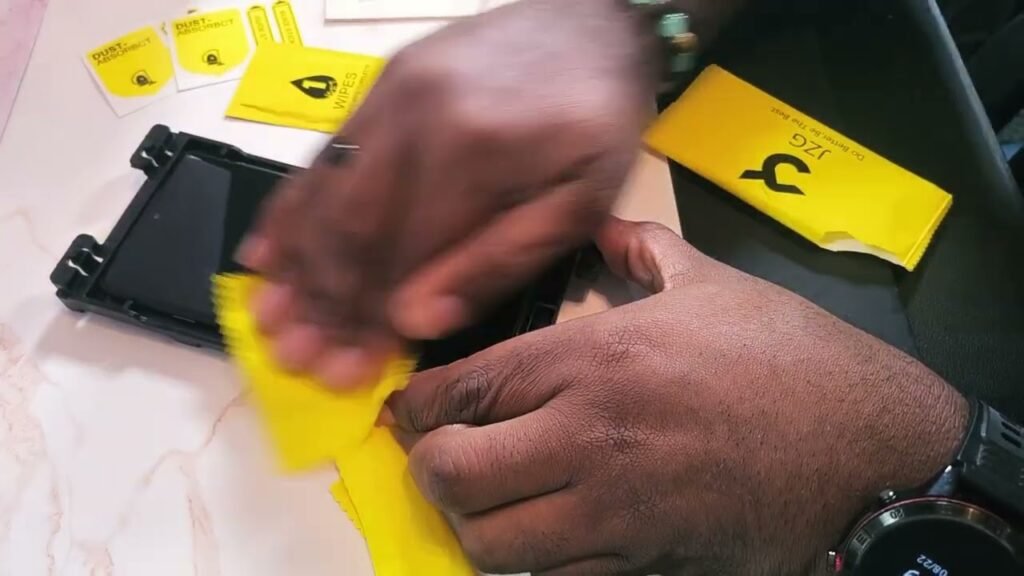
The cleaning step is thorough. Inside the packet: a dust absorbent, two wipes, and a cloth. I wiped the screen down good, dried it with the cloth, and hit the corners and edges with the dust absorbent. Any speck of dust left behind becomes a bubble, so you don't rush this part.
I babied it at first. First time with the frame, so I was being overly gentle — probably more than I needed to be. The films are marked number one and number two, and you unfold the film as you lay it down. I had to put a little pressure on the second film to seat it, and worried I'd pressed too hard in one spot.
Then I peeled the film out slowly and worked the bubbles. Peel nice and slow so no air gets trapped, then take the scraper to the edges — start at the top, work the edges, go around the sides, press everything flat. I kept hunting bubbles because I wanted it perfect.
The result was straight. Final layer peeled off, screen lock works, everything looks straight. For a first-timer doing this on camera, that's the outcome you want.
I skipped the camera lens covers — on purpose. The kit includes little covers for the camera lenses, and I usually don't use those. I'm a content creator and I want my camera free for a clean image. They're in the box if you want the extra lens protection — your call.
The second protector is my backup. You get two screen protectors in the kit. One's on the phone, one's in the box in case anything happens down the road. A scratched protector with no replacement is how you end up running the phone naked for three weeks.
It fits the curved edges. These Motorola Edge 2025 phones have curved edges, and the protector is made to work with that — it laid down clean across the whole screen. The whole install took a couple of minutes following the QR code video's steps.
Who this is actually for
This is for Motorola Edge 2025 owners who want screen protection without paying someone to install it — especially first-timers nervous about bubbles and crooked installs. If you've botched a protector before doing it freehand, the install frame is the difference-maker. You get two protectors, camera covers, and every cleaning tool in one box.
To be straight: if you only want tempered glass and nothing else, this is a ceramic film kit, not glass — know what you're buying. The camera covers are optional (I skipped them). But the core of the kit — protectors, frame, install tools — does exactly what it says.
Buyer questions, answered
Is the install actually easy for a first-timer?
It was my first time using an install frame and it took a couple of minutes. The QR code brings up a step-by-step video, so you're not guessing from a folded manual.
What does the install frame do?
It holds the phone aligned — you line the camera up with the "top" mark, press it down, and the frame keeps everything straight while you lay the protector on.
What if I get air bubbles?
The kit includes a scraper for that. Peel the film slowly, then work the edges with the scraper — top first, then sides — and press everything flat.
Do I have to use the camera lens covers?
No, they're optional. I left mine off because I want the camera lens free as a content creator. Your call.
How many screen protectors come in the kit?
Two. One on the phone, one as a spare if the first one gets scratched later.
Do I need the cleaning tools, or is that filler?
You need them. Dust and fingerprints are what cause bubbles, and the wipes, cloth, dust absorbent, and scraper are the actual tools for a clean install — especially the corners and edges.
The bottom line
First-timer, on camera, no practice run — and the protector came out straight and bubble-free, with everything on the phone working. The install frame does the hard part, the two-protector kit means you're covered if one gets scratched, and the whole thing took a couple of minutes. I'm happy with the purchase, and if you've got the Motorola Edge 2025, this is an easy recommend.
uShield Soft Ceramic Film screen + camera lens protector kit, Motorola Edge 2025
As an Amazon Associate I earn from qualifying purchases.
Pingback: LISEN MagSafe Phone Mount Review: Survives Truck Bumps