Affiliate Disclosure: BuySmart is reader-supported. When you buy through links on this page, we may earn an affiliate commission. Doesn’t change what I cover or what I tell you.
GE Smart Scale Review: Is It One of the Best Smart Scales for Body Composition?
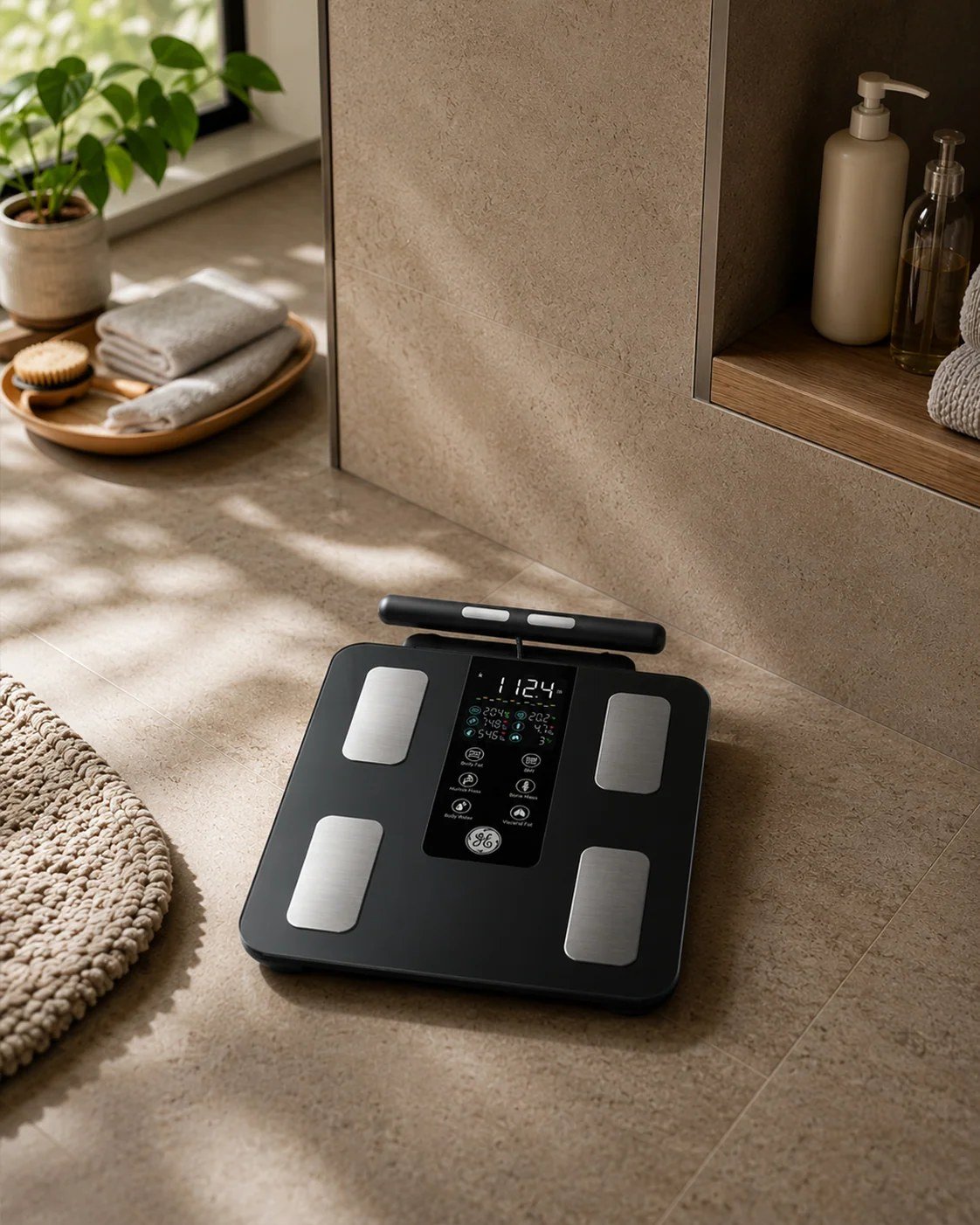
Short answer: The GE Smart Scale (model CS10G) is a real step up from a basic smart scale because it measures with 8 electrodes — four under your feet plus a handle you hold — instead of just your feet. That gives it a five-segment read of your body (four limbs plus torso) instead of a two-point guess. You get weight plus body fat, muscle mass, BMI, body water, bone mass and visceral fat right on the scale’s display, and the rest in the Fit Profile app. The catch: you have to use it right — barefoot, on a hard floor, holding the handle — and the body-composition numbers are estimates for tracking trends, not medical measurements.
Check the GE Smart Scale here →
Why a Regular Scale Isn’t Enough Anymore
Step on a regular scale, you get one number. That number doesn’t tell you if you lost fat or muscle. It doesn’t tell you your visceral fat — the stuff around your organs that actually matters for health.
That’s the complaint I keep hearing: “I’m working out but the scale won’t move.” The scale IS moving — just not the number you’re looking at.
What the 8 Electrodes Actually Do
Cheap smart scales use 4 electrodes — just your feet. The GE uses 8: four foot electrodes plus a handle with hand electrodes. It measures your body in 5 segments — four limbs plus torso — using dual-frequency bioelectrical impedance (BIA).
More contact points means a more complete picture of where fat and muscle actually are, instead of estimating your whole upper body from your feet alone. That’s the whole reason this scale exists, and it’s the difference buyers are paying for.
The scale tracks body fat %, muscle mass, BMI, body water, bone mass, protein, visceral fat, BMR, metabolic age, subcutaneous fat, skeletal muscle and more in the app.
The Display Is the Killer Feature
Most smart scales make you open an app to see anything beyond weight. The GE shows 7 key metrics right on the HD LED display — weight, BMI, body fat, body water, muscle mass, bone mass, and visceral fat.
Step on, see everything, step off. No phone needed for the daily check. The full breakdown lives in the Fit Profile app when you want it.
The App: Fit Profile
Download “Fit Profile” from the App Store or Google Play, create a profile, and pair the scale over Bluetooth — it pairs in seconds. The app holds your history and trends, and it supports multiple user profiles, so the whole household can share one scale without mixing up each other’s numbers.
Your weight data can sync with third-party health apps from inside Fit Profile, so your numbers land where you already track your health.
Who This Is For
Anyone tracking fitness, weight loss, or just wanting to know what’s actually happening with their body beyond one number. The 400-pound capacity covers most users, and the 12.2-by-13.2-inch platform fits most feet.
If you’re already tracking your health numbers — steps, sleep, supplements — this is the missing piece that turns a daily weigh-in into actual data. (For the supplement side of that routine, see our Nusava Vitamin D3 K2 Drops review.)
What to Know Before You Buy
You have to use it right. This is the part buyers get wrong. Weigh barefoot, on a hard flat floor — never on carpet. Step on, wait for zero, then stand still holding the handle with both hands, arms away from your sides, until the measurement finishes. A blinking weight doesn’t mean it’s done.
Same time, same conditions. Weigh under similar conditions around the same time every day. Don’t measure right after a shower, after drinking a lot of water, or when you’re sick — water shifts the readings.
It’s not for everyone. Do not use this scale if you have a pacemaker or any other internal medical device, or if you are pregnant — it passes a very low electrical current through your body. That warning is in the manual, and it’s worth repeating.
The numbers are for tracking, not diagnosing. BIA estimates are reference numbers. What makes them useful is the trend over weeks — body fat drifting down while muscle holds steady — not any single morning’s reading.
Batteries included, one-year warranty. It runs on 3 AAA batteries (included) and carries a one-year manufacturer warranty. It’s also FSA/HSA eligible.
The Bottom Line
If you’re serious about tracking body composition — not just weight — the 8-electrode measurement is a real step up from budget 4-electrode scales. The on-display metrics mean you’ll actually look at the numbers instead of forgetting the app exists, and the handle is what makes the readings worth trusting.
Just know what it is: a tracking tool that rewards a consistent routine, not a medical device — and it only works when you use it the way the manual says.
Check the GE Smart Scale here →
Questions Buyers Ask
Which smart scale should I buy?
Buy the one that measures more than your feet. A 4-electrode scale estimates your whole upper body from your feet alone; an 8-electrode scale like the GE CS10G reads your arms too, across five body segments. If body fat and muscle trends are what you’re after, the handle is the feature that matters — not the brand on the box.
How do I connect a smart scale to Apple Health?
Through the Fit Profile app: pair the scale over Bluetooth, then turn on third-party sync in the app’s settings and your weight data flows to Apple Health. That’s the setup buyers ask about most — and it’s handled entirely in the app, not on the scale.
How do you weigh yourself correctly on a smart scale?
Barefoot, on a hard flat floor, at the same time every day. Step on, wait for the display to hit zero, then stand still holding the handle with both hands and your arms away from your sides until the measurement finishes. Don’t measure on carpet, with socks on, or right after a shower or a big drink of water.
What does the display show vs the app?
The scale’s LED display shows 7 metrics on the spot: weight, BMI, body fat, body water, muscle mass, bone mass, and visceral fat. Everything else — protein, BMR, metabolic age, segment-by-segment breakdowns, and your history and trends — lives in the Fit Profile app.
Does it work on carpet?
No. The manual is explicit: hard flat floor only. Carpet throws off the weight reading and the impedance measurement, so the numbers won’t be comparable day to day.
Can more than one person use it?
Yes. The Fit Profile app supports multiple user profiles under one account, and each person’s weight data stays private to their own profile. Only the main user’s data syncs to third-party apps.
Check the GE Smart Scale here →
BuySmart research notes: This is a research-based review compiled from the product listing, the CS10G user manual, and review publications. BuySmart has not hands-on tested this product. Details change — verify current specs on the product page before buying.