Quick answers
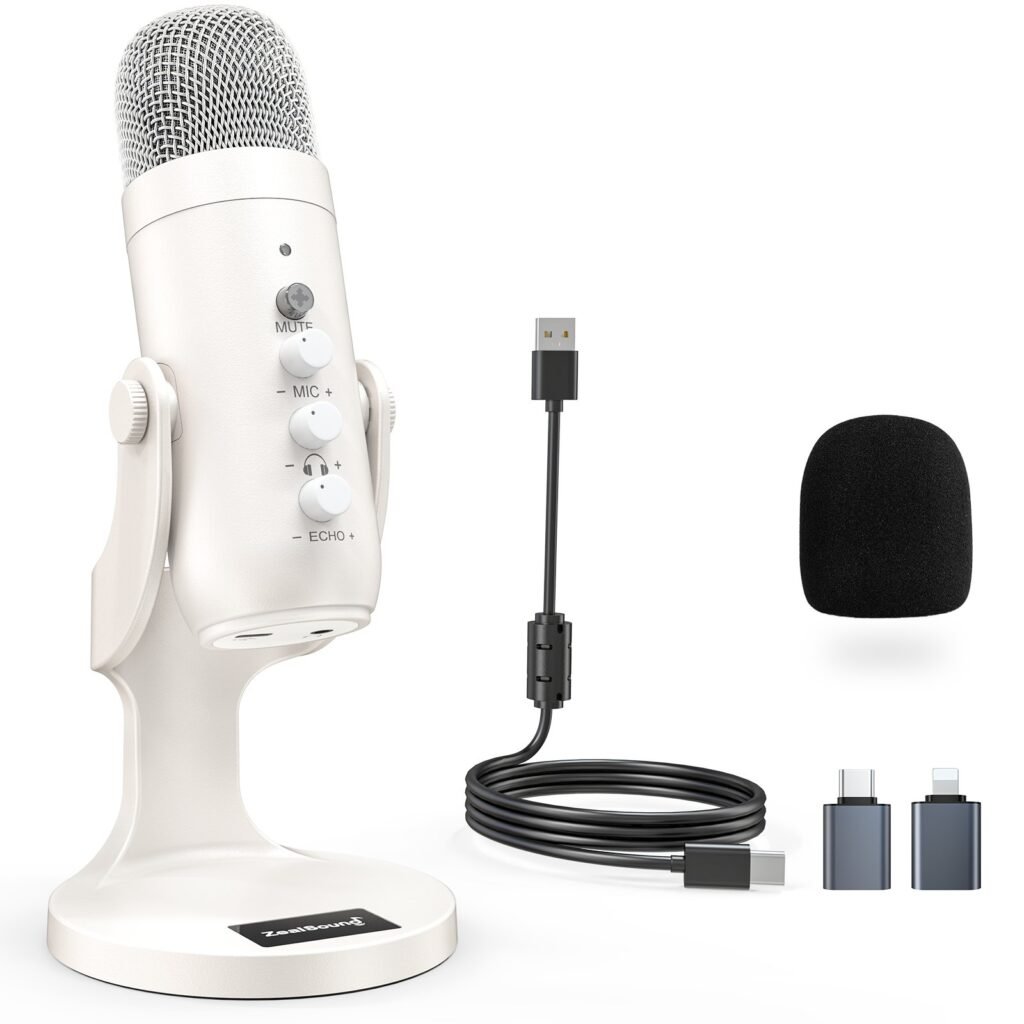
What is the ZealSound K66? A USB condenser mic for creators — plug it in, start talking. Mute, mic gain, and echo controls are knobs right on the front of the mic, so you’re not digging through software mid-recording. It comes with a desk stand and a foam windscreen.
Is this the mic you actually use? Yeah — this one’s different from my usual research pieces. It’s on my desk. I unboxed it on camera back in September and it’s been in my creator gear since. When I recommend creator gear, this is the one I point at first.
Do I need any extra software? No. It’s USB plug-and-play — the whole point is you skip the audio interface and the settings rabbit hole. The knobs on the front handle the basics. If you can plug in a flash drive, you can run this mic.
Where do I buy it? Link’s below. As an Amazon Associate I earn from qualifying purchases — doesn’t cost you anything extra.
The mic on my desk
Most of what I write about on here, I’m researching first and getting my hands on later. This one’s the other way around. The K66 showed up at my place, I unboxed it on camera, and it never left my desk. It’s the mic I’ve been recording with — the voice notes, the unboxings, all of it.
I’m not an audio engineer and I’m not going to pretend I hear frequencies you don’t. What I know is practical: it was easy to set up, the controls are right there where I can reach them, and it sounds like me — clear, no weird processing. That’s the whole bar for a creator mic.
The ZealSound K66 up close
The thing that sold me before I ever plugged it in: the controls are on the mic itself. Mute button with an LED so you always know if you’re live. Mic gain knob. Echo knob. A mode button up top. No software panel to hunt through when you’re in the middle of recording and something sounds off — you just reach out and turn a knob.
It comes with a desk stand that holds the mic at a good angle, plus a foam windscreen for the top. USB cable in the box, plug it into your computer or phone setup, and you’re recording. That’s the whole setup process.
Who this is for (and who should skip it)
This is for you if: you’re starting a channel, a podcast, voice notes, any of it — and you want to sound clear on day one without learning audio engineering. If your current “mic” is your phone speaker or a headset, this is a massive step up.
Skip it if: you’re already running an XLR setup with an interface — you’re past what this is for. Or if you need something portable for on-the-go recording. This is a desk mic, and it owns that lane.
Quick questions
What’s the mute button situation?
There’s a tap-to-mute button right on the front with an LED indicator, so you always know whether you’re live or muted. Anybody who’s ever talked for five minutes on mute before realizing it knows exactly why that little light matters.
Is it good for beginners?
That’s exactly who it’s for. No interface, no XLR cables, no settings to screw up — plug it in and talk. If you’re starting a channel or a podcast and you want to sound like you know what you’re doing on day one, this is the lane.
Where’s the best place to buy it?
Right here through my link. As an Amazon Associate I earn from qualifying purchases — costs you nothing extra, and it keeps this whole thing running.
More of my creator gear picks and write-ups live at gobuysmart.com — I’m building that library out piece by piece.
Disclosure: As an Amazon Associate I earn from qualifying purchases. If you buy through my link, I may earn a commission at no extra cost to you. I only recommend gear that’s actually earned a spot on my desk.